A motor does not make a cellular shade more insulating, darker or better fitting. It changes when and how the finished shade is deployed. Motorization earns its place when the room needs repeatable positions at times people will not reliably operate the shade by hand, or when reach and grouping make manual use impractical.
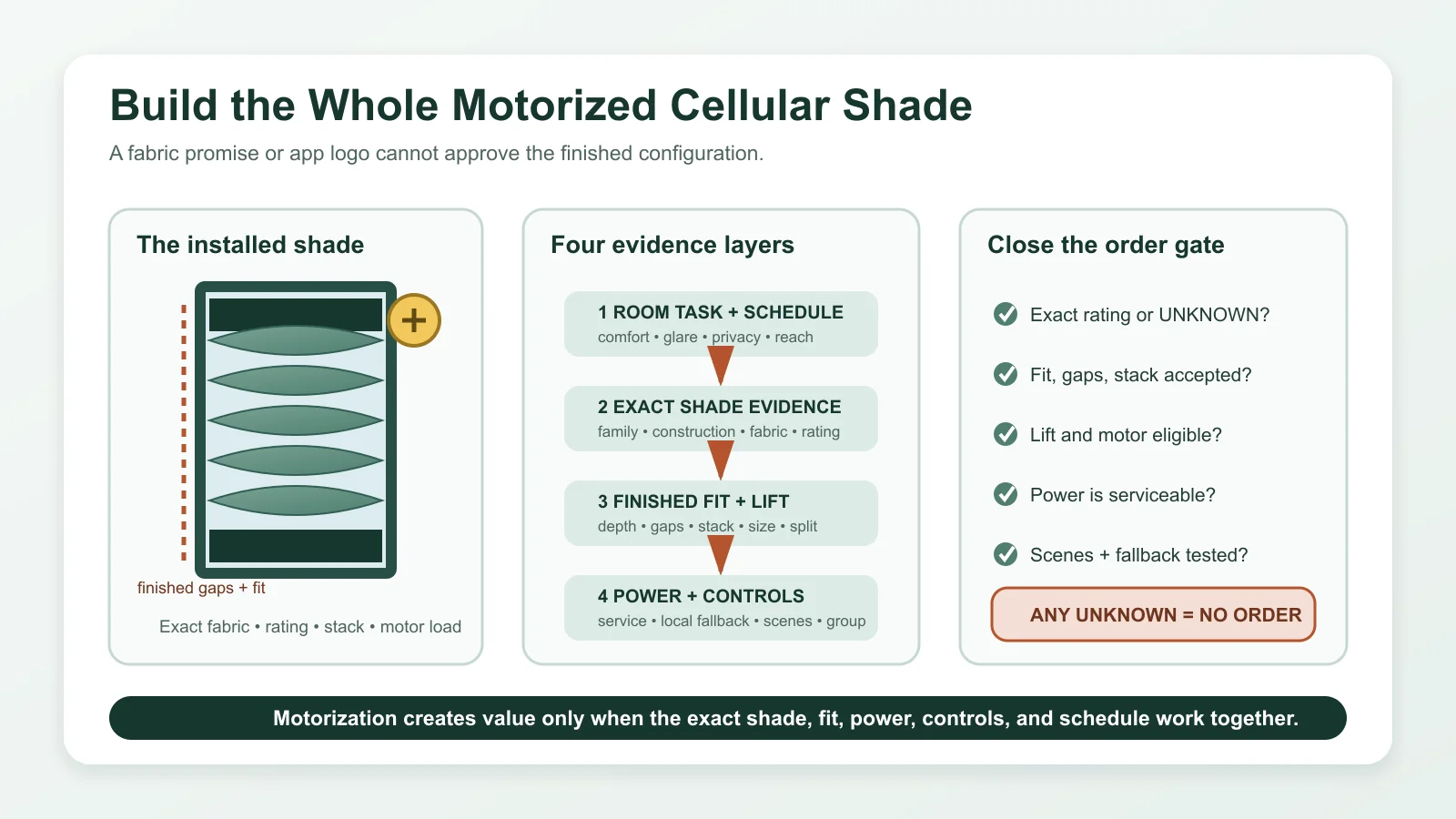
Approve the exact cellular shade first: product, construction, fabric, rating if claimed, finished fit, gaps, stack and lift style. Then approve a deployment system around it: motor eligibility, power, local control, optional gateway functions, schedule, fallback and service. If cellular is not yet the settled construction, compare it with the other main options in the motorized shade type guide before adding automation.
The motor changes deployment, not the cellular fabric
Cellular construction forms air spaces. Fabric and opacity affect light and privacy. Mount and deductions affect edge gaps. The motor supplies movement. Keeping those roles separate prevents “smart cellular” from becoming a bundle of unsupported benefits.
DOE’s cellular-shade fact sheet explains the air-space mechanism and emphasizes fitted products while keeping its modeled/tested research within a defined scope. It does not turn automation into guaranteed household savings. Read the DOE cellular-shade evidence limit.
Write the four positions the room actually needs
Do not begin with app features. Describe the shade positions that serve the room over a normal day. Four states are usually enough to reveal whether automation adds more than remote convenience:
| Room state | Required shade position | Trigger | Local override | Failure preference |
|---|---|---|---|---|
| Occupied daylight | Open or a defined partial position that preserves useful light/view | Occupancy or normal daytime routine | Open/stop/close in the room | Do not trap the room in an unwanted closed state |
| Glare or solar event | The minimum closure that solves the documented event | Time/exposure or a deliberate user command | Temporary change without editing the whole schedule | User can still close the affected shade locally |
| Privacy or darkness | Full closure or a verified privacy-band position | Dusk, bedtime or room use | Immediate room control | Choose the less harmful resting state for the room |
| Away or sleep | A defined unattended position | Schedule/scene confirmed by the user | Simple return to normal | No dependence on an unverified cloud path for basic operation |
If the user already operates one reachable shade reliably and needs only open/closed, a manual cellular shade may be the better value. Motorization becomes more coherent for high windows, several shades, repeated timed events, accessibility needs or a room where partial positions matter.
Approve the shade before approving automation
“Cellular” can describe different constructions. Hunter Douglas currently distinguishes Duette cellular shades from Sonnette cellular roller shades and lists PowerView/power possibilities by named product. Those are not interchangeable simply because both use cellular language. Check the current exact Hunter Douglas family.
Choose the room task, exact fabric and opacity, construction, finished size and lift style before the motor. If single versus double cell is still open, resolve it with exact comparable evidence rather than assuming more cells are better. If a privacy band is the reason for TDBU, draw that geometry before choosing a motor.
A rating belongs to the exact product
AERC provides product-level ratings and a certified-product search for window attachments. A cell count, brand, fabric label or motorization option is not a substitute for that exact rating. Use AERC’s current rating path when performance is part of the claim.
Record the product identity, rating/label, tested configuration and current date. If the quoted fabric, control or size differs from the rated item, ask whether the evidence still applies. If no exact rating is available, leave the performance field unknown; the shade can still be chosen for privacy, glare or reach without inventing an energy claim.
Installed gaps remain part of the result
Measure the intended plane with the measurement checker. Confirm usable depth, headrail, handle/sash clearance, finished fabric width, side gaps and raised stack. The inside-versus-outside mount guide helps compare recess fit with overlap.
A motorized headrail may not share the same depth or deductions as a manual sample. Multiple shades on a wide opening can add fabric gaps and separate motors. If darkness or thermal performance is central, those installed details remain evidence—not cosmetic fine print.
Lift style changes the deployment plan
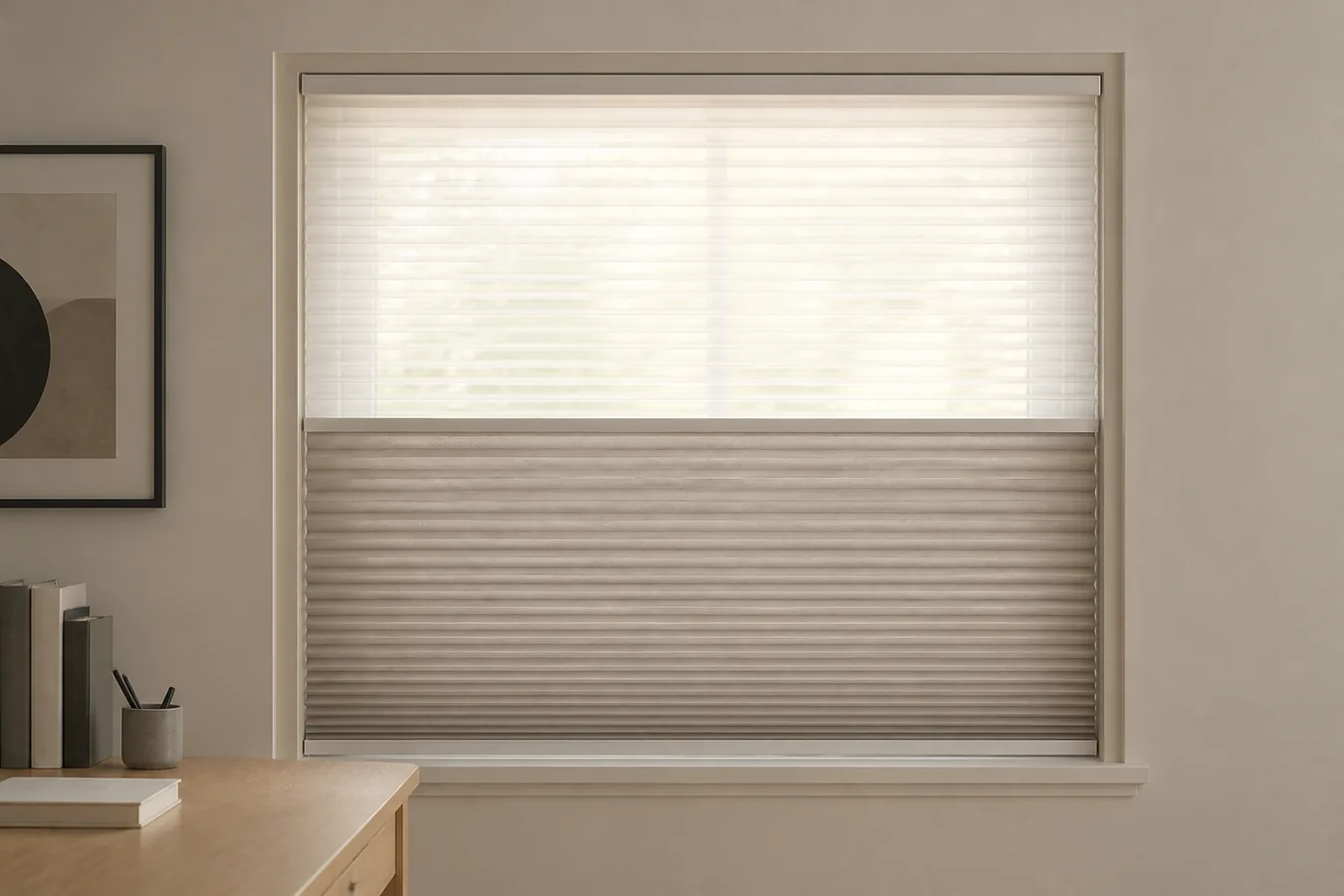
Standard bottom-up cellular shades have a simpler open/close path. TDBU introduces a movable middle privacy position. Day/Night combines different fabrics or opacity states. Multiple shades on one headrail add gaps and more operating relationships. These features cannot be assumed to combine with every motor, fabric and size.
Levolor’s current cellular technical guide shows that dimensions, operating systems, TDBU/Day-Night choices and multiple-shade gaps vary by configuration. Use it to ask exact questions, not to copy one brand’s limits into another quote. Review the current exact-system distinctions.
For a motorized TDBU path, use the privacy-horizon planner to establish the normal middle-rail position before defining scenes.
The motor must be approved for the finished shade
Motor eligibility belongs to the finished width/drop, fabric, construction and lift style. Do not infer it from the fact that a product family offers motorization somewhere. Ask for the exact motor and any size or split disposition on the quote.
Graber’s current cellular page lists manual and motorized cellular choices plus a named motorized bottom-up/top-down option. That proves current availability in a particular family, not universal compatibility. Verify the exact Graber combination if it is a candidate.
The acceptance test is the complete travel needed by the deployment plan: full open, full close and every saved partial or middle-rail position. Movement quality, exact limits and any alignment behavior should be demonstrated on the installed system without turning this guide into setup instructions.
Power is part of the schedule
A schedule that moves shades more often also affects the service pattern, but no universal battery interval can be inferred. Choose among the exact system’s battery, rechargeable, plug-in or wired options with the location and future access in mind.
Record where batteries, charge ports, supplies and reset controls will be after the shade is mounted. Hunter Douglas’s current PowerView overview lists rechargeable battery and hardwired possibilities, while exact availability remains product-specific. Confirm the current power choices for the quoted PowerView shade.
If a shade is high or behind furniture, require a supported service method from a stable position. Wired power removes recurring charging, not future motor/controller/fabric service.
Local control comes before gateway features
Require a local remote, wall control, wand or device control that performs the essential deployment positions without depending on internet access. Then document which schedules, scenes, remote access or ecosystem functions require an app, gateway, account or cloud service.
Graber’s current motorization overview separates remote, motorized wand and app/gateway paths and lists different power choices by shade family. That separation is the decision lesson: a phone screenshot is not proof of local fallback, and a remote is not proof of away access. Check the exact Graber control stack if quoted.
Group by exposure and task
Several cellular shades should not be grouped merely because they share a wall. East and west exposures may need different timing. Upper glare windows and lower privacy windows may need different positions. Bedrooms and shared spaces may need different override rules.
Name groups after the task: morning glare, lower privacy, whole-room close. Preserve individual control for exceptions. If one unit fails to move, the owner should know how it is identified, what the rest of the group does and who handles service.
Test a week of behavior, not a showroom command
Before duplicating the configuration across many openings, use a representative shade where practical. For one normal week, run the proposed positions and note when users override them. Check whether the schedule closes too much, misses a glare event, conflicts with privacy, wakes a sleeping room or creates excessive service concerns.
Also test local operation with the network unavailable and document what happens after power or battery service. This is a behavior acceptance test, not a claim about long-term reliability or energy savings.
Order the shade and its deployment plan together
| Layer | Record | Acceptance |
|---|---|---|
| Cellular shade | Exact family, construction, fabric/opacity and rating if claimed | Evidence belongs to the quoted product |
| Finished fit | Mount, size, headrail, gaps, stack, handle and split | The installed shade preserves required coverage and operation |
| Motor system | Lift style, exact motor, power, local control, gateway dependencies and service | Every required position works locally and remains maintainable |
| Deployment | Four room states, triggers, overrides, groups and failure preference | The schedule helps the room rather than merely demonstrating automation |
Where young children may be present, require an appropriate cordless finished configuration; CPSC says cordless window coverings are the safest option in that setting. Read the current CPSC guidance.
Approve the cellular shade as a finished window treatment first, then decide whether automation adds enough repeatability or reach to justify the motor. The fabric rating, installed gaps, power, and local fallback all belong to that same final configuration.